SNAP DOCUMENTATION
Multiuser features
These settings apply to installations that expose the multisite or per-user account controls shown below. The network administrator decides which sites and roles can manage social accounts; a normal account connection does not grant access to other users’ settings.
1. WordPress Multisite Network Features
WordPress Network Admin can setup what kind of access to SNAP each site in the WordPress Multisite Network can have.
There are tree options:
1. Super Admin Mode. Super Admin configures all Social Networks. All posts made in all blogs will be autoposted to all neteworks. Blog owners and other users don’t see and can’t change any settings or options
2. Regular Mode. Blog owners can configure and autopost to their own Social Networks
3. Disabled SNAP is disabled.
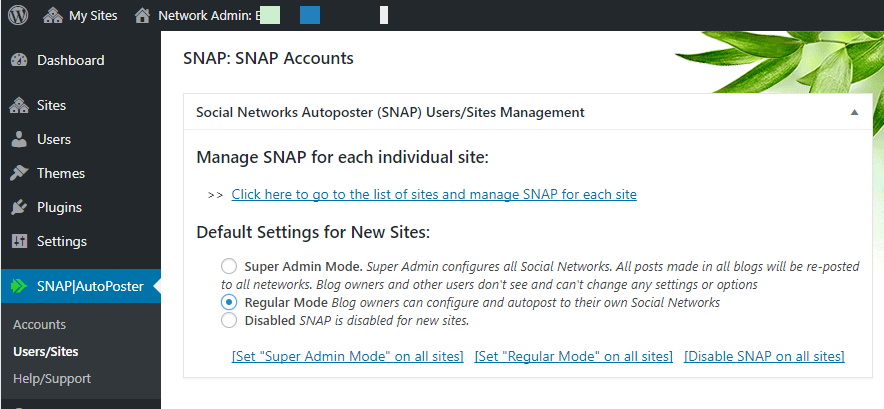
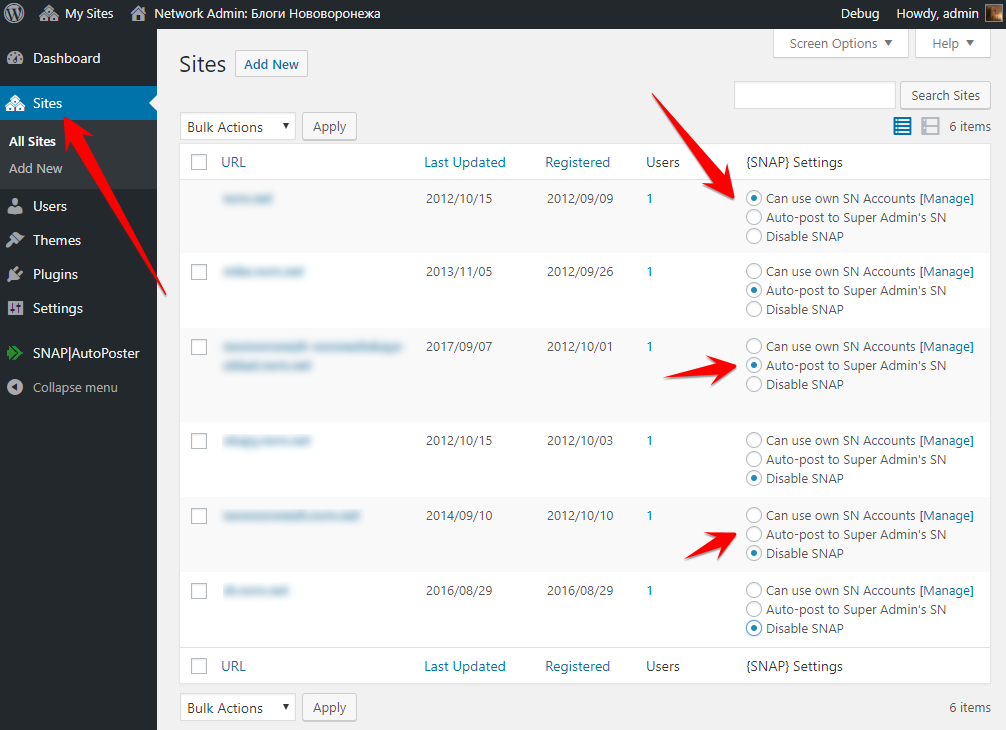
Network admin can set the default option for newly created sites, can change option for all sites or set the different option for each individual site.
2. WordPress Multiuser Features
This works in both – regular WordPress and WordPress Multisite Network.
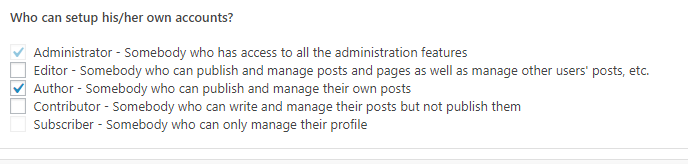
WordPress admin can give specific user group the rights to configure own independent from the admin set of accounts.