
New NextScripts.com Website
Welcome to our newly redesigned Website. Today we switched to the new, completely redone website. Everything has become much easier. The new website is designed to offer you more up-to-date product information and news. New features include better navigation menu, support “Tickets” system, forums, help pages, FAQ, etc..
– New menu allows you to easier find any page you need.
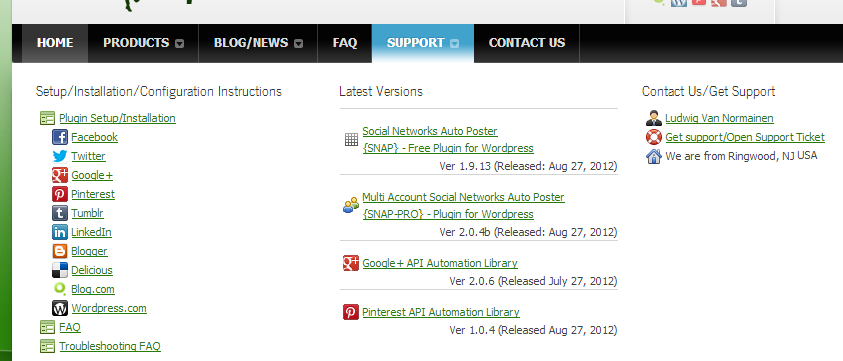
– New installation instructions are much easier to read and follow.
– Expanded FAQ with solutions for many common problems.
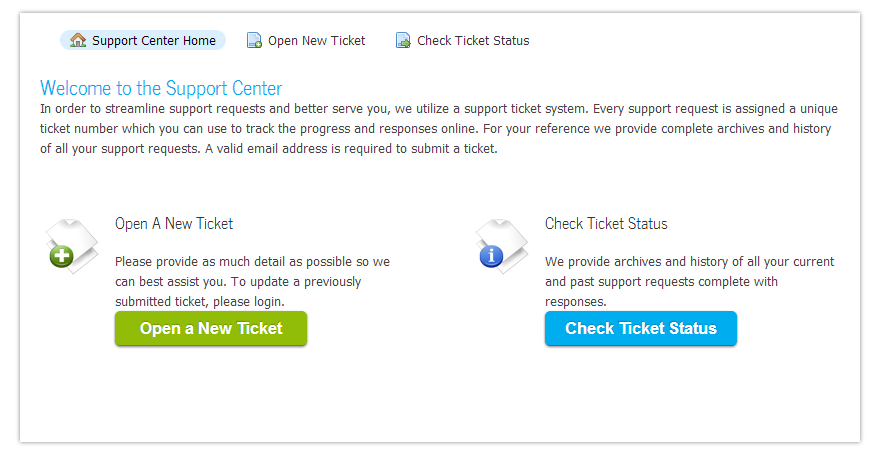
– New “Ticket” support system allows us to communicate and resolve issues faster and without risk of loosing emails.
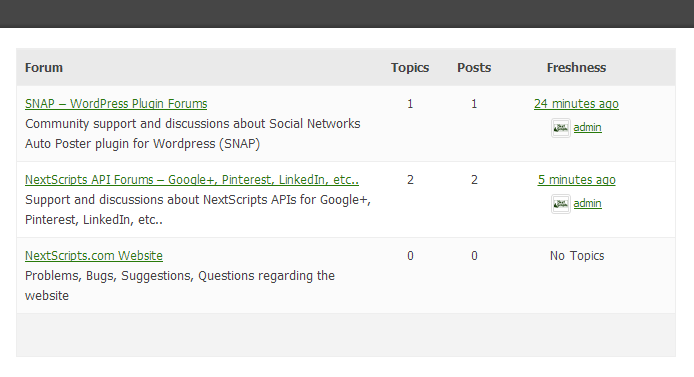
– Community Support and Discussion Forums
– A blog page where visitors can read the latest news.
– Overall design is clearer and less cluttered.
We hope you enjoy our new website. We welcome all comments and suggestions.
Facebook: Missing "Share" Link - Solution
We got numerous questions regarding missing “Share” link in the Facebook posts made by the plugin. Our answer was what we got from Facebook itself. “This is a Facebook API limitation, you can’t have a ‘Share’ link in your posts”. Recently we did some research and we have found that there is a possibility to add this “Share” link if you change the way you attach the original post to your Facebook message.
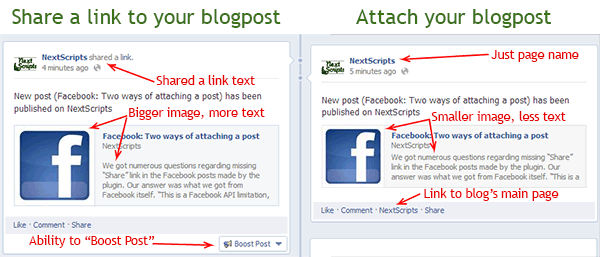
Since version 1.9.8 you have a choice of adding your original blogpost as an ‘attachement’ to your Facebook message or “sharing a link” to your blogpost. Here is the difference between those two types of posting: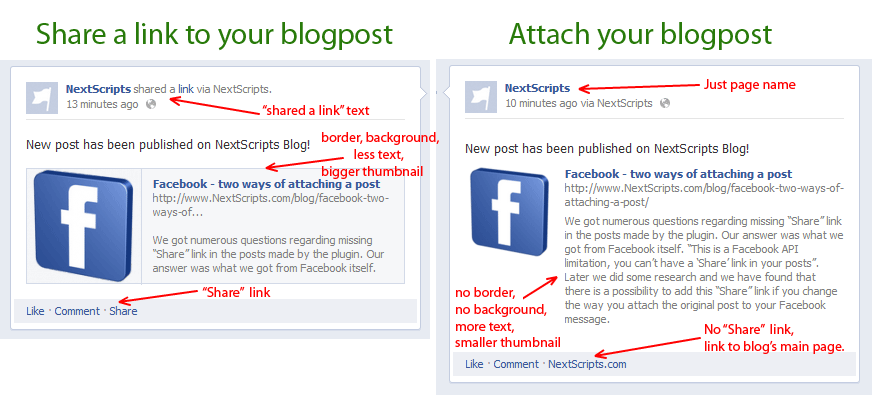
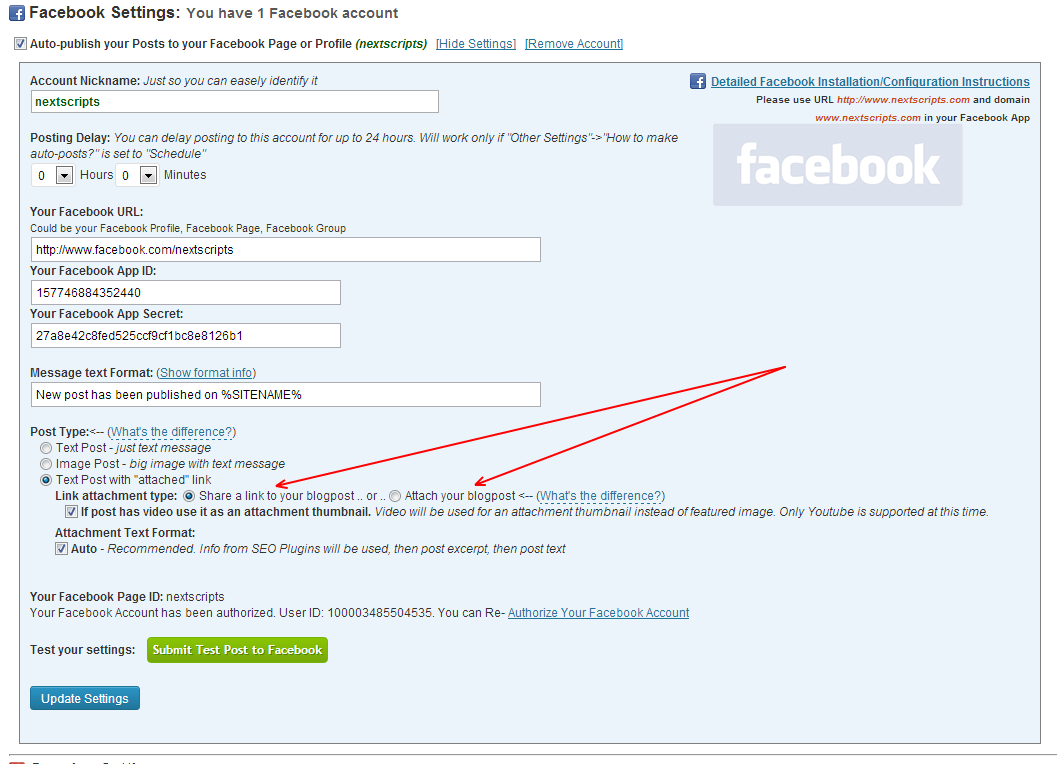
Please go to the plugin settings->Facebook Account Settings and switch from “Attach your blogpost” to “Share a link to your blogpost”
UPD 06/2013
Facebook is including “Share” link to “Attach your blogpost” types of postings as well.
.
Why sometimes authorization of the Facebook/Tumblr/LinkedIn fails returning you to the incorrect page
During the authorization Facebook/Tumblr/LinkedIn returns the “oauth_token” parameter to the WordPress that has to be stored. This parameter is required for posting updates. Our plugin catches this parameter when it returned to it.
Unfortunately the name of this parameter can’t be changed, it pre-defined by Facebook/Tumblr/LinkedIn. Another unfortunate thing is that Twitter is also using the same name “oauth_token” for it’s authorization.
There are some plugins that use Facebook/Twitter/Tumblr/LinkedIn authorization. Some of those plugins think they are the only plugins in the whole universe, so instead of checking “oauth_token” when it returned to it’s owns page, those plugins add a global hook (some even add this hook with the top priority). This hook waits for “oauth_token” parameter to be returned and then just hijacks it, completely ignoring the fact that this parameter could be not intended for it.
After hijacking parameter such plugin is trying to redirect the browser to it’s own page, but since the whole set of parameters is not designed for it, it just gets you to the invalid page.
This is a very bad development practice from authors of those plugins.
If you have such an issue, just temporary deactivate all Facebook/Twitter/Tumblr/LinkedIn plugins you have and try to authorize Facebook/Tumblr/LinkedIn again. You can activate your plugins again when authorization is complete.
Blogger/Blogspot - two ways of auto-posting
Blogger has been recently added to the list of supported networks to the NextScripts Social Networks Autposter plugin for WordPress.
This plugin supports two kinds of networks – networks that have free API (Facebook, Twitter, Tumblr) and networks that require a special third party library (Pinterest, Goolge+).
Blogger has a unique position there. It does have a free API, but that API is very restricted and unstable. Blogger also owned by Google and it’s interface is somewhat similar to Google+, so making third party library to support Blogger through our own API were not that hard.
As a result the plugin has dual support for Blogger. it will use free API if you have just the plugin, and it will use NextScripts API if you have postToGooglePlus.php library.
The problems with Free API:
- The HTML code should be XHTML complaint. This is usually not a problem with clean wordpress, but a lot of third party plugins forgot to close html tags, put quotes in attributes and use <br/> not <br>. Things like this will be rejected by free API and message won’t be posted.
- Due to internal possessing the format of your post could be changed to something completely different.
- No support for tags
- No proper support for UTF/Unicode. International characters could become corrupted.
Please consider getting Google+ API (Blogger is included there) if you have problems posting to Blogger.
Google Adds a new ‘Share’ Button for Google+
Google just introduced a Google+ “Share” button.
The new button allows webmasters to let visitors to spread a link to the page among circles on Google+ Social Network. When visitor clicks the button, there is an option of sharing a page with anyone or only some circles in their network.The Share button joins, not replaces the existing “+1” button, which allows Google+ members to endorse a webpage or an article.
The Share button is already available for integration. More instructions are on the ‘Google+ Developers’.
Unfortunately this button does not changes the way the Google+ API works. The API is still read-only, so if you as a webmaster want to share your own page or blog post on your own G+ page you still need to do it manually or use the third party plugin or library.
