
We got numerous questions regarding missing “Share” link in the Facebook posts made by the plugin. Our answer was what we got from Facebook itself. “This is a Facebook API limitation, you can’t have a ‘Share’ link in your posts”. Recently we did some research and we have found that there is a possibility to add this “Share” link if you change the way you attach the original post to your Facebook message.
Since version 1.9.8 you have a choice of adding your original blogpost as an ‘attachement’ to your Facebook message or “sharing a link” to your blogpost. Here is the difference between those two types of posting: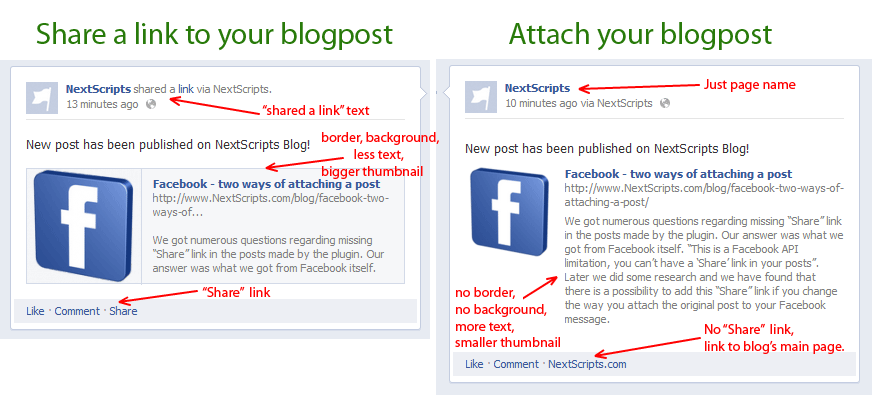
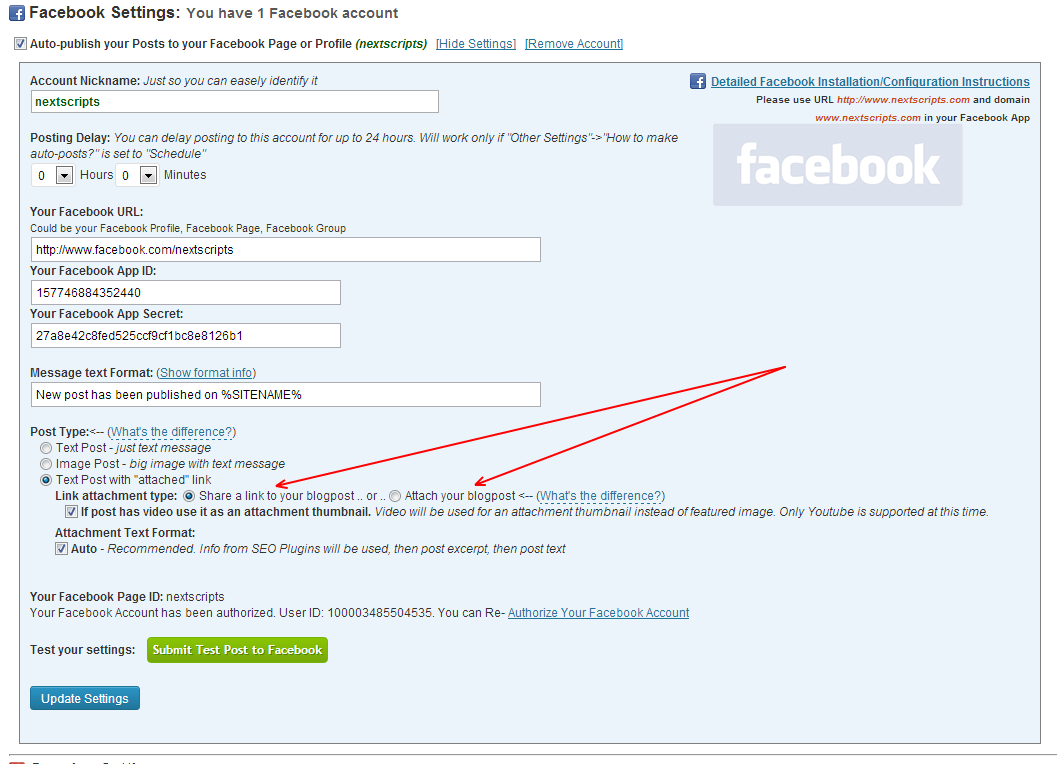
Please go to the plugin settings->Facebook Account Settings and switch from “Attach your blogpost” to “Share a link to your blogpost”
UPD 06/2013
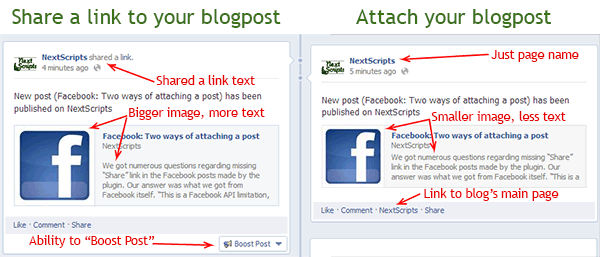
Facebook is including “Share” link to “Attach your blogpost” types of postings as well.
.

there’s no information here. How do I do this?
Please go to the plugin settings->Facebook Account Settings and switch from “Attach your blogpost” to “Share a link to your blogpost”
not working anymore 🙁
What exactly is not working? We just tried to make a new post and it was posted with “Share” link, so everything looks fine.
The share button still doesn’t appear, not even in the “test” post to Facebook