
Tumblr: "Text" post vs "Image" Post
There are two ways of posting images to Tumblr.
1. Text post with images inside. Tumblr does support some HTML in the posts, so you can just send html source of your blogpost and all images from there should appear on Tumblr. There is one problem with that. Tumblr treats such images as “external”. It means that if you look at your Tumblr website those images will show up fine, but if you look at your post from Dashboard (or any other internal tumbler page) you will the famous little grey “polaroid” box instead of the actual pictures. There is nothing could be done about it, this is Tumblr imposed functionality. You will need to click the box to see the image. it doesn’t matter how this image were posted. You can create text post manually, insert image in the post using the “tree” icon and the reuslt will be the same – little grey “polaroid” box on all internal pages.
2. Image (Photo) post. Image posts don’t have titles, they use pictures instead. Those pictures will show up everywhere including Dashbord, “tagged” pages and your Tumblr website.
Please take a look at the screenshots to better understand the difference:
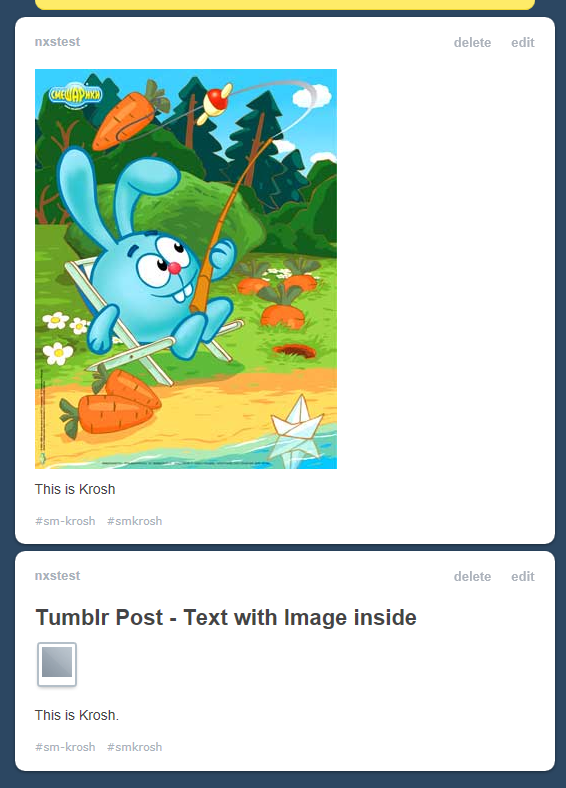
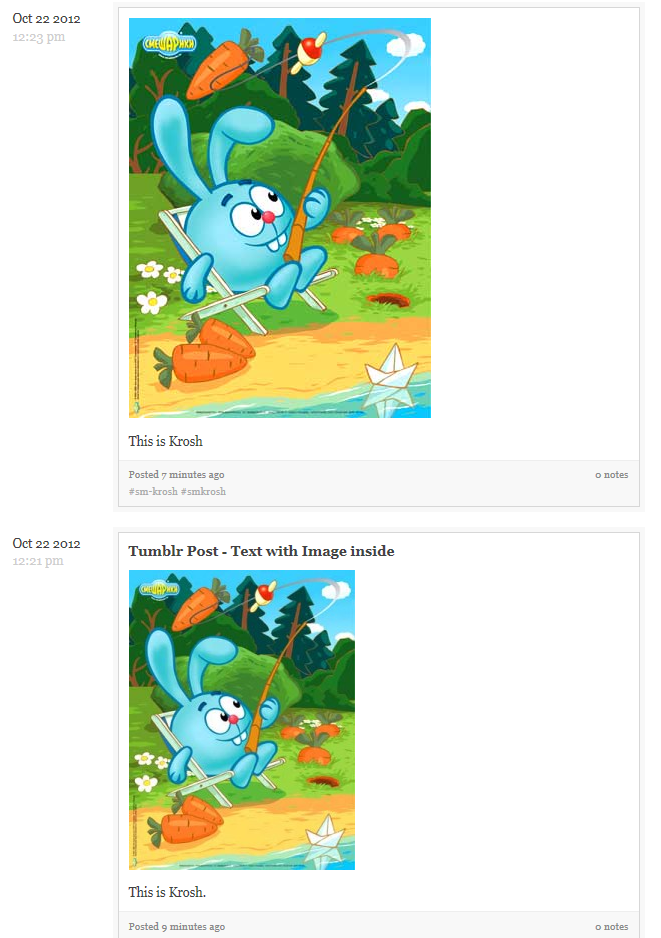
The lower post is made as “Text” post that has image in it. When you look from Dashboard or from tumblr.com/tagged/ it shows tiny grey box instead of the image. if you look from Tumblr website (yoursite.tumblr.com) image looks fine.
Th top post made as an “Image” post.
View from the Dashboard:
View from the Tumblr website:
New Release: Version 2.3.2 - with WPMU, StumbleUpon and vBulletin support
The new version 2.3.2 has been released. It has 3 major improvements.
1. Version 2.3 (Pro only) adds support for WordPress Multisites (Ex WordPress MU). SNAP Pro allows to autopost from the main Super Admin account blog. We are also introducing a special edition of the plugin called “SNAP Pro for WordPress Multisites”. This edition adds a separate Super Admin management modules that allows full control over autoposting from any blog in the network. Super Admin can allow each blog to configure individual social networks and autopost there or just make the whole network autopost to main blog accounts. Super Admin can setup any individual blog in the network to different settings.
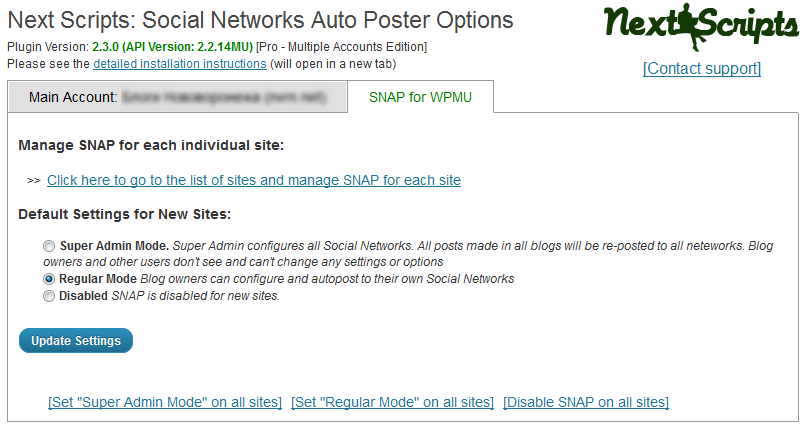
See more info about and get it here: SNAP Pro for WordPress Multisites
2. StumbleUpon.
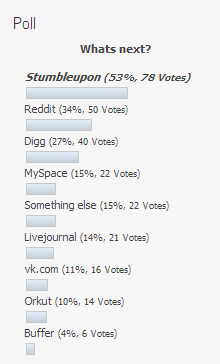 Here is the results of the poll we have on our site. Most people voted for StumbleUpon, so here it is. Auto-post the link to your new blogpost to your StumbleUpon account. Free.
3. vBulletin. Would you like start discussion threads about your new blogposts on some remote forums or just update your thread somewhere with new reply about your blogpost? vBulletin versions 3.6+ and 4.X are supported. You can see our thread on v7n.com as an example. Free.
Changes log.
= 2.3.2 =
* New – New network: vBulletin. Share your new blogpost on your StumbleUpon account.
* Functionality Change – due to massive amount of requests – WP Pro (not WP Pro for MU) allows to post only to one main Super Admin account, not to all accounts across in the network.
* Bug fix – StumbleUpon re-post wrong category fix.
* Bug fix – “expecting T_FUNCTION” error.
* Bug fix – Blogger – “Invalid JSON” Error
= 2.3.1 =
* Bug fix – Facebook stability.
* Bug fix – WP Multisite Management problems.
= 2.3.0 =
* New – Support for WP Multisite (Pro Only) – https://www.nextscripts.com/social-networks-auto-poster-pro-for-wordpress-compare-editions/
* New – New network: Stumbleupon. Share your new blogpost on your StumbleUpon account.
* Improvement – Better configuration screens.
* Improvement – Facebook SDK upped to 3.2.0
* Bug fix – Facebook authorization problems.
* Bug fix – Blogger Character encoding.
* Bug fix – Stability improvements
* Bug fix – LinkedIn post without attachment.
You can download it from NextScripts or directly from WordPress.org
Changes for Pinterest login process - immediate action requred
Last week Pinterest silently changed its login process. You cannot login using your username anymore. All logins are require you to use email instead. If you have Pinterest configured in your WordPress plugin or if you are using NextScripts Pinterest API you need to change the username to the email asap.
New Release: Version 2.2.0 - with LinkedIn Company Pages support
The new version 2.2 has been released. It adds support for auto-posting to LinkedIn Company Pages. it also has some interface improvements and new tab “History/Log”. “History/Log” tab shows all auto-posting actions done by the plugin, so it can see what, when and when posts were posted.
Release has several bugs fixed including “headers already sent by line 344 Error” problem and annoying Google Chrome problem with adding Blogger account with each save.

= 2.2.0 =
* New – NextScripts LinkeIn API support for company pages auto-posting (Beta).
* New – Actions Log – see the log of the auto-postings.
* Improvement – Better interface.
* Bug fix – headers already sent by line 344 Error.
* Bug fix – Workaround fix for non-numeric “Facebook Group” pages. We hope that Facebook will fix it soon.
* Bug fix – Saving problems for the “Settings” page.
* Bug fix – LinkedIn post Formatting problems.
* Bug fix – was still attaching a post if not selected.
You can download it from NextScripts or directly from WordPress.org
Auto-post to another Wordpress based blogs
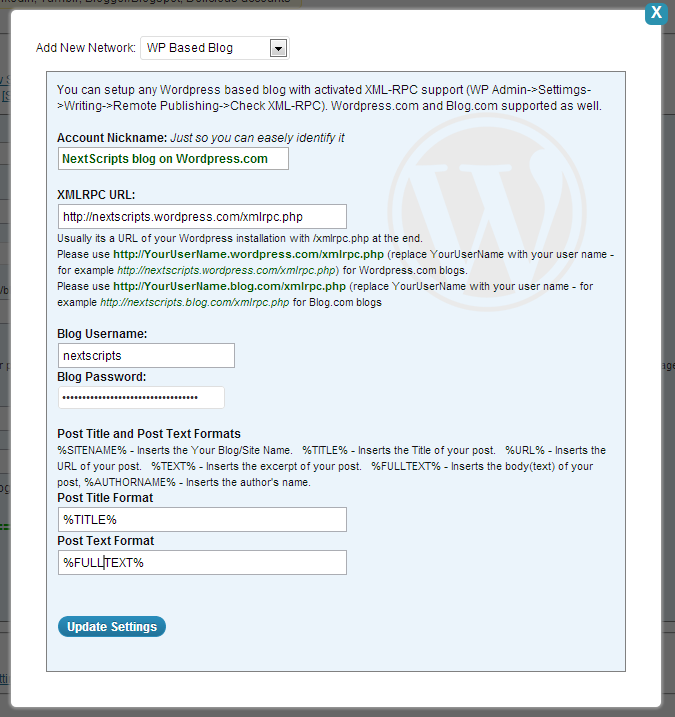
Now you can auto-post your blogposts to another WordPress based blogs. The destination blog must have xmlrpc enabled. Blogpost will be published along with tags, categories and featured image (if your destination is WordPress 3.3 or better). This option includes WordPress.com blogs as well as blog.com. WordPress.com has xmlrpc activated by default. Blog.com requires you to go to the Settings->Writing and turn it on.
Note: Please be careful with blog.com, while they do allow xmlrpc posts, their’s spam prevention software considers such posts as extremely high risk, so your blog can be deactivated and you will need to contact their support.
The standalone WordPress based blogs are supported as well, so if you are publishing the same content of the several other sites or you would like to mention your main article on your other blogs, this will give you a great way to do so.
Setup is very simple, just enter the URL of the XMLRPC and provide your username and password.
{SNAP} Feature: Account Nicknames
The list of supported networks has grown and it become harder to identify where exactly you are auto posting. This is especially the case if you have multi-account edition. You can setup 3 blogger accounts but it’s really hard to tell the difference between them when they called 36782136281467812, 67126487328747436 and 23791242917649712. Version 2.1 brings new field to all network settings called “Account Nickname” this field has no affect to any functionality, but now you can call your accounts by something more identifiable.
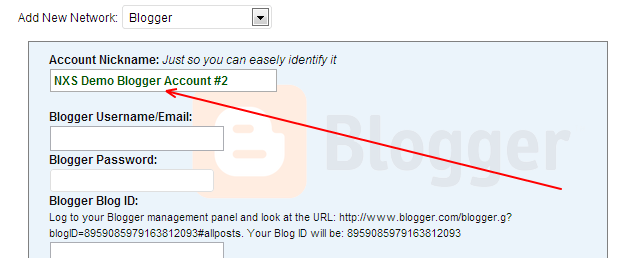
Just fill the field “Nickname” when you adding new network or editing existing one.

You will see the nicknames instead of the codes in all lists of the accounts.
New Release: Version 2.1.0 - Critical Update
The new version 2.1 has been released. It addresses the critical issue that should prevent any problems in case GoDaddy or somebody else decide to put down our DNS. it also has some nice improvement and numerous bug fixes.
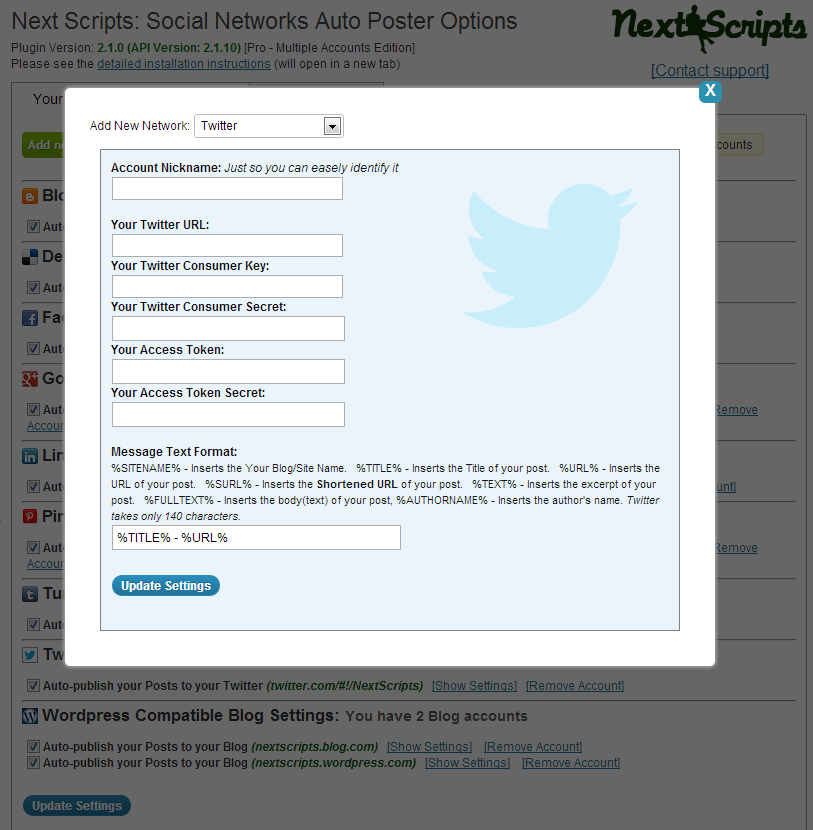
New network has been added. Now you can auto-post to WordPress based websites. This includes WordPress.com, Blog.com, and all other blogs based on WordPress
New interface:
Changes (since 2.0.8):
= 2.1.0 =
* New – New network: WordPress based websites. This option includes WordPress.com, Blog.com, and and any other blogs based on WP.
* Improvement – nicknames for your accounts. You can give each account a nickname to make it easier to identify in the list.
* Improvement – better looking settings pages.
* Improvement – new option to either schedule auto-posts (recommended) or do it immediately. This could be useful to the people with disabled or broken WP Cron.
* Critical Stability fix – The next GoDaddy crush should not break your website.
* Bug fix – disappearing accounts.
* Bug fix – custom post settings weren’t saved in some cases.
* Bug fix – format and settings fixes for almost all networks.
= 2.0.12 =
* Bug fix – Some Facebook connectivity isses.
* Bug fix – Unselected Custom post types were still published in some cases.
= 2.0.11 =
* Bug fix – Compatibility issue with some browsers.
= 2.0.10 =
* Bug fix – Facebook “Share link” fix.
* Improvement/Bug fix – some interface cosmetic changes.
= 2.0.9 =
* Bug fix – Facebook Authorization “Error 100” Fix.
You can download it from NextScripts or directly from WordPress.org
NextScripts.com went down because of the GoDaddy
As millions other websites nextscripts.com went down because of the GoDaddy. We are not hosted there but we are using their premium DNS service because it supposedly should make things better. It seems like we need to re-think this decision.
Version 2: Important update notice for Google+ and Pinterest API Customers
Important update notice
!! Important !! Version 2 gets Google+ and Pinterest APIs libraries automatically. You will loose the ability to post to Google+ and Pinterest after upgrade. Please go to the www.nextscripts.com/mypage and get your serial number. Then please go to WP Admin->Settings->Social Networks Auto Poster->Click “Enter your Activation Key” and enter this number.
If you don’t know your login – click “Forgot your password?” enter your email that you used to make an order – click the link in the email to create a new password and you will be able to see your serial and download your products.
New Release: Version 2.0.8 - End of Beta Testing
Today we are ending the version 2 beta testing and releasing it for general public. Version 2 has so many advantages both inside and outside. It’s easier to use and setup, it’s faster and it’s all automated. You don’t need to upload and re-upload postToGooglePlus.php and other API’s anymore. All APIs are now built-in and will be kept up-to-date automatically.
Changes(since 2.0.6 Beta):
= 2.0.8 =
* Improvement – Better list of available accounts.
* Improvement/Bug fix – a lot of cosmetic interface changes and code optimizations for problem fixing and better looking.
* Bug fix – Google+ Wrong options when using “Repost Button”
* Bug fix – Google+ Fixed publishing of new lines in messages.
* Bug fix – Pinterest Settings Disappearance
= 2.0.7 =
* Improvement – Better list of available accounts.
* Bug fix – “Facebok Options Save” error fix.
You can download it from NextScripts or directly from WordPress.org
