
New NextScripts.com Website
Welcome to our newly redesigned Website. Today we switched to the new, completely redone website. Everything has become much easier. The new website is designed to offer you more up-to-date product information and news. New features include better navigation menu, support “Tickets” system, forums, help pages, FAQ, etc..
– New menu allows you to easier find any page you need.
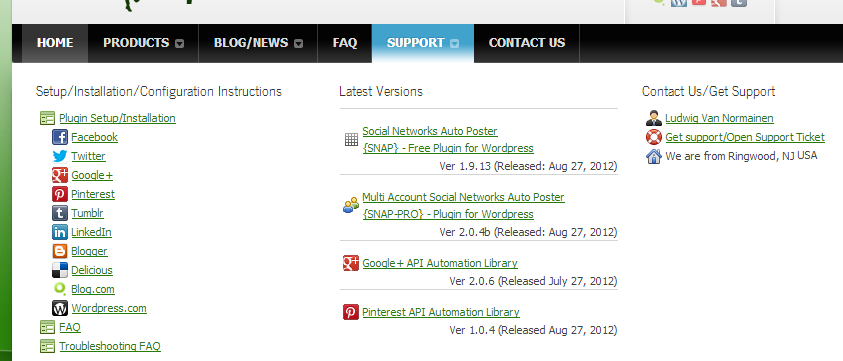
– New installation instructions are much easier to read and follow.
– Expanded FAQ with solutions for many common problems.
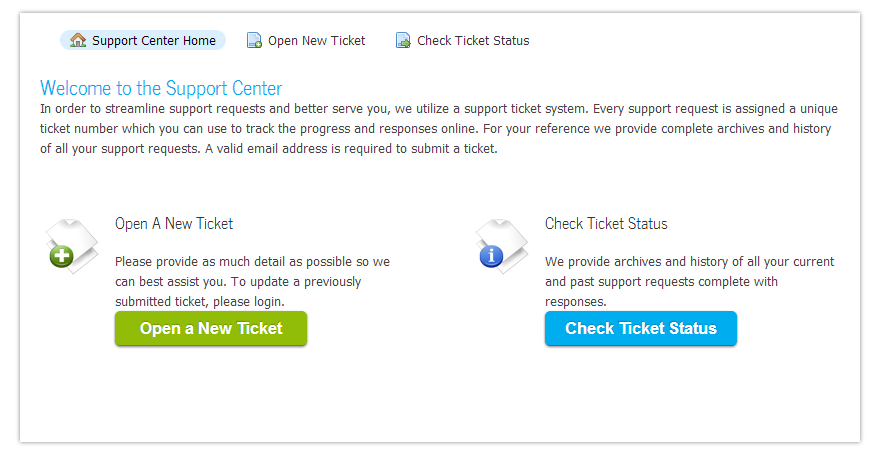
– New “Ticket” support system allows us to communicate and resolve issues faster and without risk of loosing emails.
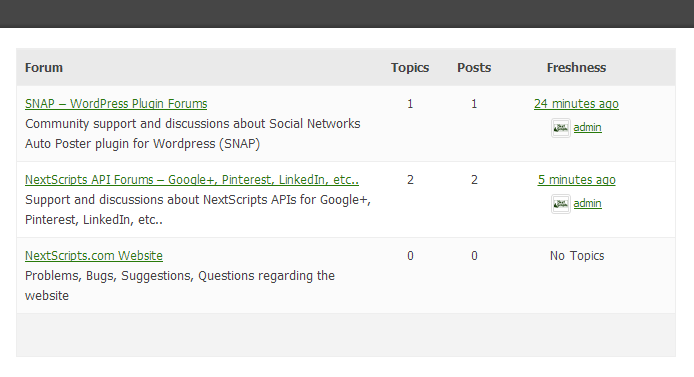
– Community Support and Discussion Forums
– A blog page where visitors can read the latest news.
– Overall design is clearer and less cluttered.
We hope you enjoy our new website. We welcome all comments and suggestions.
New Beta Release: Version 2.0.6b
New Beta Version has been released: 2.0.6b
The release brings some bug fixes
* Improvement – Ability to check/uncheck all networks during post writing
* Bug fix – Uncheked networks were still getting posts
* Bug fix – Pinterest “Retreive Boards” problem
* Bug fix – Delicious broken tags error.
Download it here: https://www.nextscripts.com/social-networks-auto-poster-beta
New Beta Release: Version 2.0.5b
New Beta Version has been released: 2.0.5
The release fixed the bug with Pinterest causing “Cannot access empty property” error and this version also has experimental support for Delicious.com
Download it here: https://www.nextscripts.com/social-networks-auto-poster-beta
.
Social Networks Auto-Poster(SNAP) - Version 2.0 Public Beta
Here are some NextScripts: Social Networks Auto-Poster(SNAP) stats:
5 months of rapid development
41 version releases
10,245 unique installations
35,819 total installations including upgrades
It was time to review all that work and reinvent the whole thing again. We are announcing SNAP version 2.0.
Most of the changes went under the hood. For example version 1.x was using immediate posting mechanism. It worked well when we had 2-3 Social Networks, but if you configure all 7 of them (or even more in multi-site edition) it takes quite some time to do all the posting. Version 2 releases the “Publish” button immediately and all posting is done in the background.
Some important changes:
– Completely revamped “Settings” interface.
– New Engine works much faster and allows to add new networks more easily.
– API libraries are auto updated. There is no need to separately upload postToGooglePlus.php and postToPinterest.php files anymore.
You can download version 2.0. public beta here

New Release: Version 1.9.12
New Version has been released: 1.9.12
New version fixes the Google+ posting as well as some connectivity issues for other networks.
Changes:
= 1.9.12 =
* New – Version 2.0.3 Beta is available to try.
* Bug fix – Removed many () Slashes from some Google+ Posts.
* Bug fix – Tumblr Authorization fix.
* Bug fix – New LinkedIn oAuth model support fix.
* Bug fix – Twitter New “Smarter” Twitter 140 characters limit handling fix.
= 1.9.11 =
* Bug fix – Google+ Fix for new interfaces.
* Improvement/Bug fix – New “Smarter” Twitter 140 characters limit handling. URL won’t be cut anymore.
You can download it from NextScripts or directly from WordPress.org
New Release: Version 1.9.10 - New LinkedIn oAuth Authorization
LinkedIn improved its oAuth Authorization model. Now you can request permission for different types of account access. Please update if you are getting “Access to posting shares denied” error.
Changes:
= 1.9.10 =
* Improvement/Bug fix – New LinkedIn oAuth model support.
You can download it from NextScripts or directly from WordPress.org
New Release: Version 1.9.9
New Version has been released: 1.9.9
New version now supports two ways of creating Facebook posts allowing you to have “Share” link. Also some bug fixes and updates preparing for the version 2.
Changes:
= 1.9.9 =
* Bug fix – Javascript/JQuery Error fixed.
= 1.9.8 =
* Improvement – Now you have a choise between “attaching” your post to Facebook or “Sharing a link” to it.
* Improvement – Better Twitter connection for non ssl
* Bug fix – Pinterest Default Settings
* Bug fix – Pinterest Board Selection
= 1.9.7 =
* Improvement – New Internal DB Structure preparing for 2.0
* Bug fix – Google Connectivity issues
* Bug fix – Blogger Connectivity issues
You can download it from NextScripts or directly from WordPress.org
Facebook: Missing "Share" Link - Solution
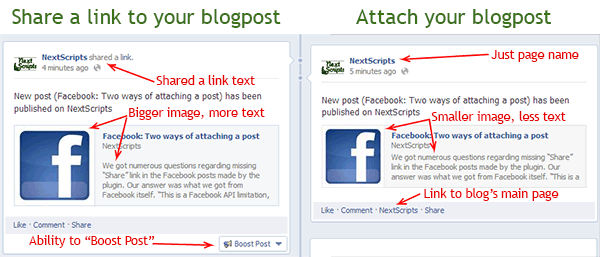
We got numerous questions regarding missing “Share” link in the Facebook posts made by the plugin. Our answer was what we got from Facebook itself. “This is a Facebook API limitation, you can’t have a ‘Share’ link in your posts”. Recently we did some research and we have found that there is a possibility to add this “Share” link if you change the way you attach the original post to your Facebook message.
Since version 1.9.8 you have a choice of adding your original blogpost as an ‘attachement’ to your Facebook message or “sharing a link” to your blogpost. Here is the difference between those two types of posting: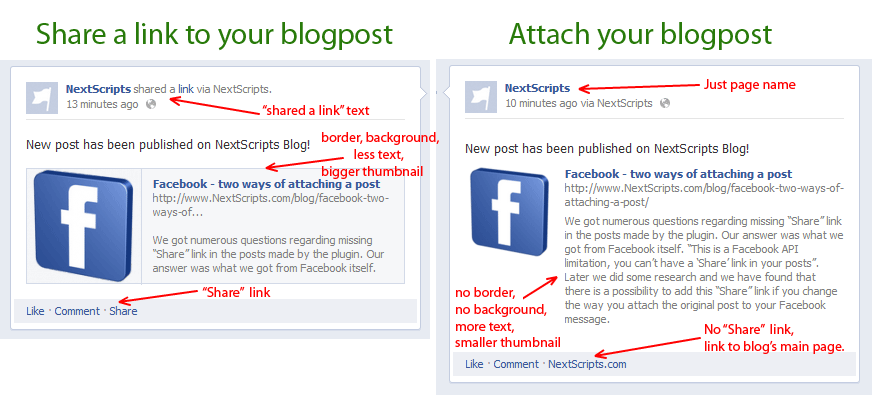
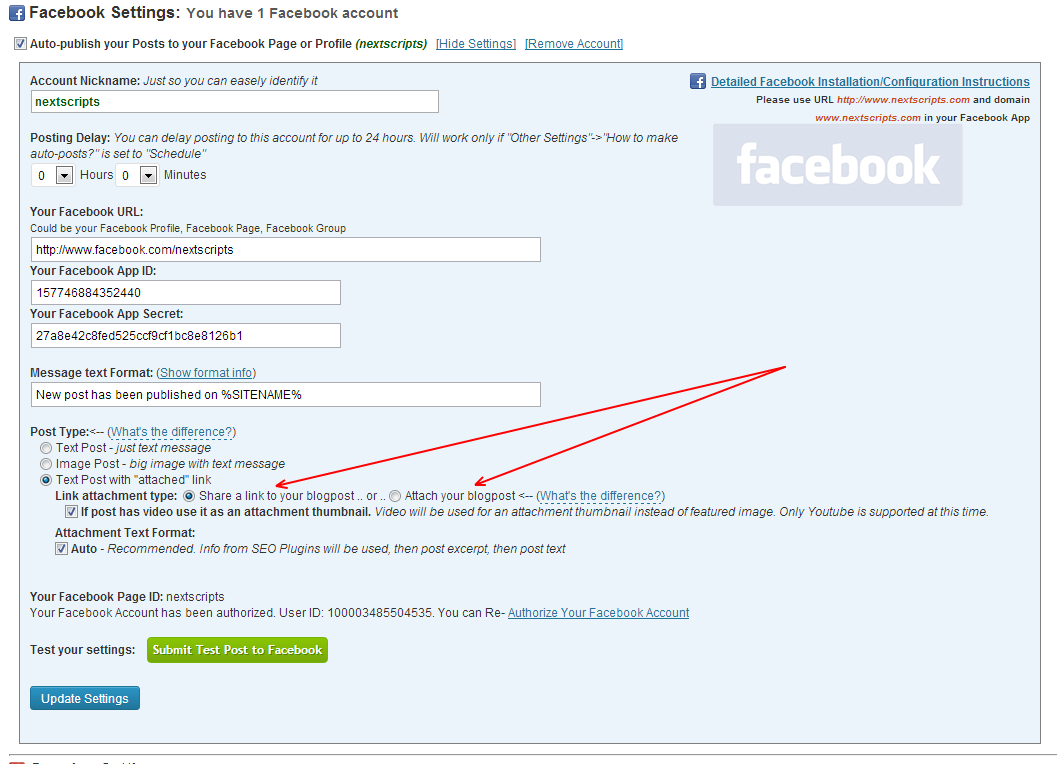
Please go to the plugin settings->Facebook Account Settings and switch from “Attach your blogpost” to “Share a link to your blogpost”
UPD 06/2013
Facebook is including “Share” link to “Attach your blogpost” types of postings as well.
.
New Release: Version 1.9.6
New Version has been released: 1.9.6
New version has new functionality and fixes/improvements as well as LinkedIn support.
Changes:
= 1.9.6 =
* Bug fix – Twitter formatting
* Bug fix – Google incorrect page issue.
* Bug fix – SSL connectivity issued for some hosts.
= 1.9.5 =
* Bug fix – Twitter short URLS
* Bug fix – Google/Pinterest Connectivity issues
= 1.9.4 =
* Bug fix – Tumblr, LinkedIn and Blogger compatibility issues..
= 1.9.3 =
* Bug fix – Missing “No custom posts” option.
= 1.9.2 =
* Improvement – Ability to Include/Exclude “Custom Post Types” from autoposting.
* Improvement – Better “Custom Post Types” support.
* Bug fix – Tumblr Authorization issues
= 1.9.1 =
* Bug fix – Correct Special Character Encoding
* Bug fix – Blooger Encoding issues.
= 1.9.0 =
* New – LinkedIn Support
* Improvement – Post Options are now movable
* Improvement – Security for Google+, Pinterest, Blogger – passwords are better encoded in the DB.
* Improvement – Tumblr – Better compatibility with other plugins.
* Bug fix – Twitter URL length fix.
* Bug fix – Google+, Pinterest, Blogger – Incorrect Username/Problem due to the magic quotes being “On”
* Bug fix – More then 10 stability, compatibility, security fixes.
You can download it from NextScripts or directly from WordPress.org
Why sometimes authorization of the Facebook/Tumblr/LinkedIn fails returning you to the incorrect page
During the authorization Facebook/Tumblr/LinkedIn returns the “oauth_token” parameter to the WordPress that has to be stored. This parameter is required for posting updates. Our plugin catches this parameter when it returned to it.
Unfortunately the name of this parameter can’t be changed, it pre-defined by Facebook/Tumblr/LinkedIn. Another unfortunate thing is that Twitter is also using the same name “oauth_token” for it’s authorization.
There are some plugins that use Facebook/Twitter/Tumblr/LinkedIn authorization. Some of those plugins think they are the only plugins in the whole universe, so instead of checking “oauth_token” when it returned to it’s owns page, those plugins add a global hook (some even add this hook with the top priority). This hook waits for “oauth_token” parameter to be returned and then just hijacks it, completely ignoring the fact that this parameter could be not intended for it.
After hijacking parameter such plugin is trying to redirect the browser to it’s own page, but since the whole set of parameters is not designed for it, it just gets you to the invalid page.
This is a very bad development practice from authors of those plugins.
If you have such an issue, just temporary deactivate all Facebook/Twitter/Tumblr/LinkedIn plugins you have and try to authorize Facebook/Tumblr/LinkedIn again. You can activate your plugins again when authorization is complete.
